

This is demo text for testing!! This is demo text for testing!! This is demo text for testing!! This is demo text for testing!!

This is demo content for testing!!! This is demo content for testing!!! This is demo content for testing!!! This is demo content for testing!!! This is demo content for testing!!! This is demo content for testing!!! This is demo content for testing!!! This is demo content for testing!!! This is demo content for testing!!! This is demo content for testing!!! This is demo content for testing!!! This is demo content for testing!!! This is demo content for testing!!! This is demo content for testing!!! This is demo content for testing!!! This is demo content for testing!!! This is demo content for testing!!! This is demo content for testing!!! This is demo content for testing!!! This is demo content for testing!!! This is demo content for testing!!!

This is demo content for testing!! This is demo content for testing!! This is demo content for testing!! This is demo content for testing!! This is demo content for testing!! This is demo content for testing!! This is demo content for testing!! This is demo content for testing!! This is demo content for testing!! This is demo content for testing!! This is demo content for testing!! This is demo content for testing!! This is demo content for testing!! This is demo content for testing!! This is demo content for testing!! This is demo content for testing!! This is demo content for testing!! This is demo content for testing!!
Demo
+
+
+
+

This is demo contnt for testing! This is demo contnt for testing! This is demo contnt for testing! This is demo contnt for testing! This is demo contnt for testing! This is demo contnt for testing! This is demo contnt for testing! This is demo contnt for testing!
This is demo contnt for testing! This is demo contnt for testing!
Card title
Some quick example text to build on the card title and make up the bulk of the card's content. Some quick example text to build on the card title and make up the bulk of the card's content. Some quick example text to build on the card title and make up the bulk of the card's content. Some quick example text to build on the card title and make up the bulk of the card's content. Some quick example text to build on the card title and make up the bulk of the card's content. Some quick example text to build on the card title and make up the bulk of the card's content. Some quick example text to build on the card title and make up the bulk of the card's content. Some quick example text to build on the card title and make up the bulk of the card's content. Some quick example text to build on the card title and make up the bulk of the card's content. Some quick example text to build on the card title and make up the bulk of the card's content. Some quick example text to build on the card title and make up the bulk of the card's content. Some quick example text to build on the card title and make up the bulk of the card's content. Some quick example text to build on the card title and make up the bulk of the card's content. Some quick example text to build on the card title and make up the bulk of the card's content. Some quick example text to build on the card title and make up the bulk of the card's content.


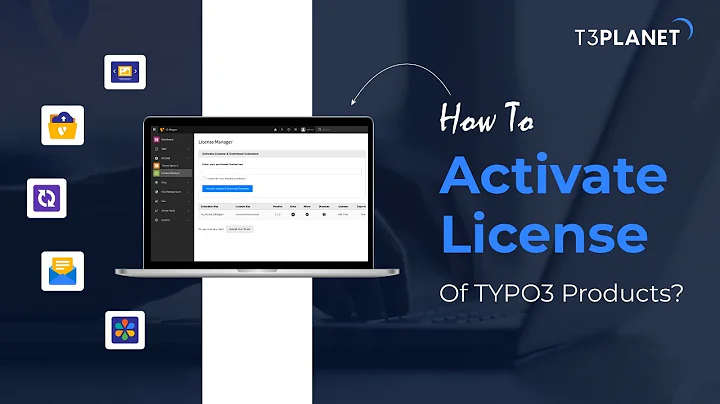
TYPO3 version 12 is the latest and most advanced TYPO3 version with new introductions, features and functionalities.
It has new technical and creative upgrades in terms of technology, backend usability, security, performance and visual appeal. It has new technical and creative upgrades in terms of technology, backend usability, security, performance and visual appeal. It has new technical and creative upgrades in terms of technology, backend usability, security, performance and visual appeal. It has new technical and creative upgrades in terms of technology, backend usability, security, performance and visual appeal.
Lorem ipsum dolor sit amet, consetetur sadipscing elitr, sed diam nonumy eirmod strong tempor invidunt ut labore et dolore magna aliquyam erat, sed diam voluptua. At vero eos et accusam et justo duo dolores et ea rebum. Stet clita kasd gubergren, no sea takimata sanctus est Lorem ipsum dolor sit amet.
Lorem ipsum dolor sit amet, consetetur sadipscing elitr, sed diam nonumy eirmod strong tempor invidunt ut labore et dolore magna aliquyam erat, sed diam voluptua. At vero eos et accusam et justo duo dolores et ea rebum. Stet clita kasd gubergren, no sea takimata sanctus est Lorem ipsum dolor sit amet.
Top
Popover Toped
Posuere consectetur est at lob ortis. Aenean eu leo quam. Posuere consectetur est at lob ortis. Aenean eu leo quam. Posuere consectetur est at lob ortis. Aenean eu leo quam. Posuere consectetur est at lob ortis. Aenean eu leo quam.
Bottom
Popover Toped
Posuere consectetur est at lob ortis. Aenean eu leo quam. Posuere consectetur est at lob ortis. Aenean eu leo quam. Posuere consectetur est at lob ortis. Aenean eu leo quam. Posuere consectetur est at lob ortis. Aenean eu leo quam. Posuere consectetur est at lob ortis. Aenean eu leo quam. Posuere consectetur est at lob ortis. Aenean eu leo quam. Posuere consectetur est at lob ortis. Aenean eu leo quam.

Image Frame Headline
Image Frame Sub Headline
Lorem ipsum dolor sit amet, consectetur adipisicing elit, sed do eiusmod tempor incididunt consectetur adipisicing elit, sed do eiusmod tempor incididunt.


This is an Alert Message! This is an Alert Message! This is an Alert Message! This is an Alert Message! This is an Alert Message! This is an Alert Message! This is an Alert Message! This is an Alert Message! This is an Alert Message! This is an Alert Message! This is an Alert Message! This is an Alert Message! Learn More
This is an Alert Message! This is an Alert Message! This is an Alert Message! This is an Alert Message! This is an Alert Message! This is an Alert Message! This is an Alert Message! This is an Alert Message! This is an Alert Message! This is an Alert Message! This is an Alert Message! This is an Alert Message! Learn More
This is an Alert Message! This is an Alert Message! This is an Alert Message! This is an Alert Message! This is an Alert Message! This is an Alert Message! This is an Alert Message! This is an Alert Message! This is an Alert Message! This is an Alert Message! This is an Alert Message! This is an Alert Message! Learn More
Some quick example text to build on the card title and make up the bulk of the card's content. Some quick example text to build on the card title and make up the bulk of the card's content.
Card title
Some quick example text to build on the card title and make up the bulk of the card's content. Some quick example text to build on the card title and make up the bulk of the card's content. Some quick example text to build on the card title and make up the bulk of the card's content. Some quick example text to build on the card title and make up the bulk of the card's content. Some quick example text to build on the card title and make up the bulk of the card's content. Some quick example text to build on the card title and make up the bulk of the card's content. Some quick example text to build on the card title and make up the bulk of the card's content. Some quick example text to build on the card title and make up the bulk of the card's content. Some quick example text to build on the card title and make up the bulk of the card's content. Some quick example text to build on the card title and make up the bulk of the card's content. Some quick example text to build on the card title and make up the bulk of the card's content. Some quick example text to build on the card title and make up the bulk of the card's content. Some quick example text to build on the card title and make up the bulk of the card's content. Some quick example text to build on the card title and make up the bulk of the card's content. Some quick example text to build on the card title and make up the bulk of the card's content.
Feature #1
Lorem ipsum dolor sit amet, consectetur adipisicing elit, sed do eiusmod tempor
Feature #2
Lorem ipsum dolor sit amet, consectetur adipisicing elit, sed do eiusmod tempor.
Feature #3
Lorem ipsum dolor sit amet, consectetur adipisicing elit, sed do eiusmod tempo
Feature #4
Lorem ipsum dolor sit amet, consectetur adipisicing elit, sed do eiusmod tempo
Feature #1
Lorem ipsum dolor sit amet, consectetur adipisicing elit, sed do eiusmod tempor
Feature #2
Lorem ipsum dolor sit amet, consectetur adipisicing elit, sed do eiusmod tempor.
Feature #3
Lorem ipsum dolor sit amet, consectetur adipisicing elit, sed do eiusmod tempo
Feature #4
Lorem ipsum dolor sit amet, consectetur adipisicing elit, sed do eiusmod tempo
Feature #1
Lorem ipsum dolor sit amet, consectetur adipisicing elit, sed do eiusmod tempor.
Feature #2
Lorem ipsum dolor sit amet, consectetur adipisicing elit, sed do eiusmod tempor.


Background Light
Background Gray
Advanced
$50
- A Pocket Pc Is Portability At It S Best
- A Pocket Pc Is Portability At It S Best
- Dvd Replication For Dummies 4 Eas
- The Skinny On Lcd Monitors
- Dvd Replication For Dummies 4 Easy
Background Dark
Advanced
$50
- A Pocket Pc Is Portability At It S Best
- A Pocket Pc Is Portability At It S Best
- Dvd Replication For Dummies 4 Eas
- The Skinny On Lcd Monitors
- Dvd Replication For Dummies 4 Easy
goes here!
A nice headline
Lorem ipsum dolor sit amet, consectetur adipisicing elit, sed do eiusmod tempor incididunt ut labore et dolore magna aliqua.
Lorem ipsum dolor sit amet, consectetur adipisicing elit, sed do eiusmod tempor incididunt ut labore et dolore magna aliqua.
Lorem ipsum dolor sit amet, consectetur adipisicing elit, sed do eiusmod tempor incididunt ut labore et dolore magna aliqua.
Lorem ipsum dolor sit amet, consectetur adipisicing elit, sed do eiusmod tempor incididunt ut labore et dolore magna aliqua.
Lorem ipsum dolor sit amet, consectetur adipisicing elit, sed do eiusmod tempor incididunt ut labore et dolore magna aliqua.



Header Header Header
250
+Type something
2500
+Type something
50
Type something
175
+Type something
- Sign Up
Lorem ipsum dolor sit amet, consectetur adipisicing elit, sed do eiusmod tempor incididunt ut labore et dolore magna.
- Share
Lorem ipsum dolor sit amet, consectetur adipisicing elit, sed do eiusmod tempor incididunt ut labore et dolore magna.
- Enjoy
Lorem ipsum dolor sit amet, consectetur adipisicing elit, sed do eiusmod tempor incididunt ut labore et dolore magna.
Table Default
Lorem Ipsum Lorem Ipsum Lorem Ipsum Lorem Ipsum Lorem Ipsum Lorem IpsumLorem IpsumLorem IpsumLorem IpsumLorem IpsumLorem IpsumLorem IpsumLorem Ipsum | Lorem Ipsum | Lorem Ipsum |
| Typo3 v11 | Typo3 v12 | Typo3 v13 |
| 2022 | 2023 | 2024 |
| Entwicklung | Hauptwarungszeit | Erweiterter Support |
| 2024 | 2022 | 2022 |
| Hauptwarungszeit | Erweiterter Support | Entwicklung |
| Typo3 v12 | Typo3 v13 | Typo3 v11 |
Table Striped Odd
| Lorem Ipsum | Lorem Ipsum | Lorem Ipsum |
| Typo3 v11 | Typo3 v12 | Typo3 v13 |
| 2022 | 2023 | 2024 |
| Entwicklung | Hauptwarungszeit | Erweiterter Support |
| 2024 | 2022 | 2022 |
| Hauptwarungszeit | Erweiterter Support | Entwicklung |
| Typo3 v12 | Typo3 v13 | Typo3 v11 |
Table Striped
| Lorem Ipsum | Lorem Ipsum | Lorem Ipsum |
| Typo3 v11 | Typo3 v12 | Typo3 v13 |
| 2022 | 2023 | 2024 |
| Entwicklung | Hauptwarungszeit | Erweiterter Support |
| 2024 | 2022 | 2022 |
| Hauptwarungszeit | Erweiterter Support | Entwicklung |
| Typo3 v12 | Typo3 v13 | Typo3 v11 |
Table Dark
| Lorem Ipsum | Lorem Ipsum | Lorem Ipsum |
| Typo3 v11 | Typo3 v12 | Typo3 v13 |
| 2022 | 2023 | 2024 |
| Entwicklung | Hauptwarungszeit | Erweiterter Support |
| 2024 | 2022 | 2022 |
| Hauptwarungszeit | Erweiterter Support | Entwicklung |
| Typo3 v12 | Typo3 v13 | Typo3 v11 |
Table Borderless
| Lorem Ipsum | Lorem Ipsum | Lorem Ipsum |
| Typo3 V11 | Typo3 V12 | Typo3 V13 |
| 2022 | 2023 | 2024 |
| Entwicklung | Hauptwarungszeit | Erweiterter Support |
| 2024 | 2022 | 2022 |
| Hauptwarungszeit | Erweiterter Support | Entwicklung |
| Typo3 V12 | Typo3 V13 | Typo3 V11 |
Source editing
Some wikis have an edit button or link directly on the page being viewed if the user has permission to edit the page. This can lead to a text-based editing page where participants can structure and format wiki pages with a "lightweight markup language", sometimes known as wikitext, wiki markup or wikicode (it can also lead to a WYSIWYG editing page; see the paragraph after the table below). For example, starting lines of text with asterisks could create a bulleted list. The style and syntax of wikitexts can vary greatly among wiki implementations, some of which also allow HTML tags.
Layout consistency
Wikis have traditionally employed plain-text editing, utilizing simpler conventions than HTML to denote style and structure. Restricting access to HTML and Cascading Style Sheets (CSS) within wikis hinders users from modifying content layout and formatting. However, this restriction offers advantages. It fosters uniformity in appearance by curbing CSS modifications and ensures that users cannot introduce JavaScript code that might impede access for others.
Navigation
Within the text of most pages, there are usually many hypertext links to other pages within the wiki. This form of non-linear navigation is more "native" to a wiki than structured/formalized navigation schemes. Users can also create any number of index or table-of-contents pages, with hierarchical categorization or whatever form of organization they like. These may be challenging to maintain "by hand", as multiple authors and users may create and delete pages in an ad hoc, unorganized manner. Wikis can provide one or more ways to categorize or tag pages to support the maintenance of such index pages. Some wikis, including the original, have a backlink feature, which displays all pages that link to a given page. It is also typically possible in a wiki to create links to pages that do not yet exist, as a way to invite others to share what they know about a subject new to the wiki. Wiki users can typically "tag" pages with categories or keywords, to make it easier for other users to find the article. For example, a user creating a new article on cold-weather biking might "tag" this page under the categories of commuting, winter sports and bicycling. This would make it easier for other users to find the article.
Version history
Some wikis keep a record of changes made to wiki pages; often, every version of the page is stored. This means that authors can revert to an older version of the page should it be necessary because a mistake has been made, such as the content accidentally being deleted or the page has been vandalized to include offensive or malicious text or other inappropriate content.
Many wiki implementations, such as MediaWiki, the software that powers Wikipedia, allow users to supply an edit summary when they edit a page. This is a short piece of text summarizing the changes they have made (e.g. "Corrected grammar" or "Fixed formatting in table"). It is not inserted into the article's main text but is stored along with that revision of the page, allowing users to explain what has been done and why. This is similar to a log message when making changes in a revision-control system. This enables other users to see which changes have been made by whom and why, often in a list of summaries, dates and other short, relevant content, a list which is called a "log" or "history".
Visual editing
Wikis can also make WYSIWYG editing available to users, usually through a JavaScript control that translates graphically entered formatting instructions into the corresponding HTML tags or wikitext. In those implementations, the markup of a newly edited, marked-up version of the page is generated and submitted to the server transparently, shielding the user from this technical detail. An example of this is the VisualEditor on Wikipedia. WYSIWYG controls do not, however, always provide all the features available in wikitext, and some users prefer not to use a WYSIWYG editor. Hence, many of these sites offer some means to edit the wikitext directly.
Light
- Lorem ipsum dolor sit amet, consectetur adipiscing elit.
- Etiam nec dui consectetur tellus ornare vehicula.
- Phasellus in risus quis lectus iaculis vulputate id quis nisl.
- Fusce sit amet orci quis arcu vestibulum vestibulum sed.
- Phasellus in risus quis lectus iaculis vulputate id quis nisl.
Dark
- Lorem ipsum dolor sit amet, consectetur adipiscing elit.
- Etiam nec dui consectetur tellus ornare vehicula.
- Phasellus in risus quis lectus iaculis vulputate id quis nisl.
- Fusce sit amet orci quis arcu vestibulum vestibulum sed.
- Phasellus in risus quis lectus iaculis vulputate id quis nisl.
Check
Simple